Postgres Full Text Search: Enough for Most Apps
By Aakash Verma · · 4 min read
Postgres full text search is the search box most apps should ship first. It's built into PostgreSQL, it needs no extra service, it stays in the same transaction as your data, and with the right index it answers in milliseconds on a few million rows. People skip it and reach for Elasticsearch or Algolia on day one, then pay for a second system to keep in sync. I'd rather start here and move only when a real limit shows up.
Everything below is checked against the PostgreSQL 18 text search docs (18 is the current release; 19 is at release candidate as I write this, November 10, 2026).
The two types
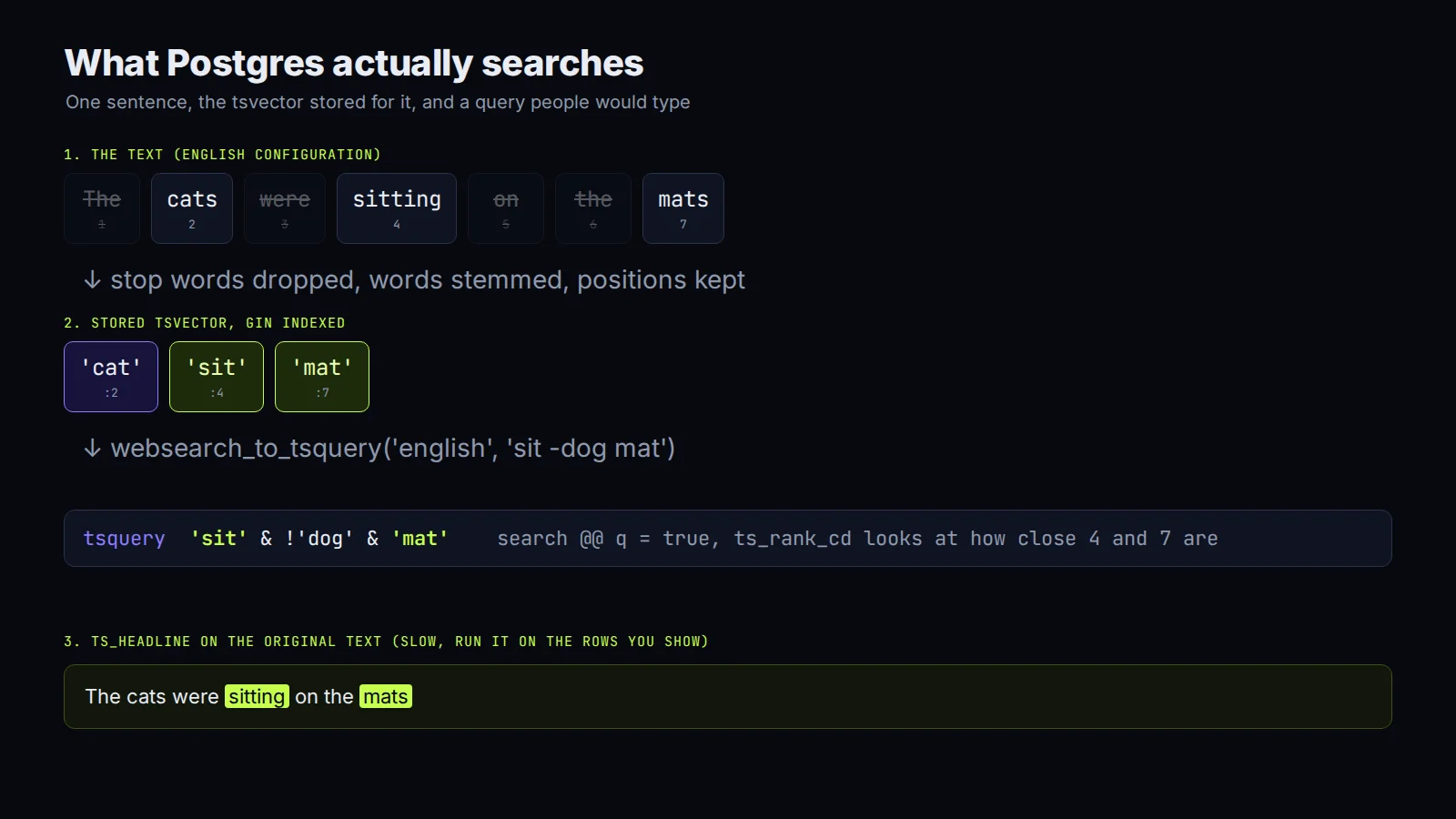
Search in Postgres works on two types. A tsvector is a document turned into normalized words, called lexemes, with their positions. A tsquery is what you're looking for, with operators between the words.
SELECT to_tsvector('english', 'The cats were sitting on the mats');
-- 'cat':2 'mat':7 'sit':4
"The", "were" and "on" are gone because they're stop words. "cats" became cat and "sitting" became sit, because the english configuration stems words. That's why a search for "sit" finds "sitting". It's also why a search for a product code like SKU-SIT-01 behaves oddly with english. For names, codes and anything that isn't prose, use the simple configuration, which lowercases and does nothing else.
Store the tsvector, index it
Don't call to_tsvector on every row at query time. Store it in a generated column and put a GIN index on it:
ALTER TABLE articles
  ADD COLUMN search tsvector
  GENERATED ALWAYS AS (
    setweight(to_tsvector('english', coalesce(title, '')), 'A') ||
    setweight(to_tsvector('english', coalesce(body, '')), 'B')
  ) STORED;

CREATE INDEX articles_search_idx ON articles USING GIN (search);
Two details that cost people an afternoon. Pass the configuration name ('english') explicitly. The one-argument form of to_tsvector depends on the default_text_search_config setting, so it isn't immutable, and Postgres refuses it in a generated column with generation expression is not immutable. And wrap nullable columns in coalesce, because concatenating a NULL tsvector gives you NULL and the row silently becomes unsearchable.
The setweight calls label title words A and body words B, so ranking can prefer a hit in the title. That's most of what "relevance tuning" means here.
Query it the way users type
Users don't type & and |. Use websearch_to_tsquery, which understands the syntax people already know from search engines and never throws a syntax error:
SELECT id, title,
       ts_rank_cd(search, q) AS rank
FROM articles,
     websearch_to_tsquery('english', '"connection pool" -mysql') AS q
WHERE search @@ q
ORDER BY rank DESC
LIMIT 20;
Quoted words become a phrase, or becomes OR, a leading - excludes a word, and everything else is AND. The older to_tsquery raises an error on plain input like connection pool, so never feed it user text directly. For search-as-you-type, build a prefix query: to_tsquery('simple', 'conn:*') matches anything starting with "conn".
On ranking: ts_rank counts how often the words appear, and ts_rank_cd also rewards them for being close together, which usually feels better for multi-word searches. Both have a normalization option. 32 scales the score into 0 to 1, and 1 divides by the log of the document length so long documents don't win just by being long. The docs are honest that ranking "can be expensive": it reads the tsvector of every matching row. Filter hard first, then rank.
Highlighting results
ts_headline gives you the snippet with the matched words wrapped in <b> tags (change them with StartSel and StopSel, and shorten with MaxWords, default 35). Two warnings straight from the docs. It works on the original text, not the tsvector, "so it can be slow", so run it only on the 20 rows you display, in an outer query, never on the whole match set. And its output "is not guaranteed to be safe for direct inclusion in web pages". If the text came from users, sanitize it before you render it. A search snippet is a very easy XSS to ship by accident.
Typos are the real gap
Full text search matches lexemes. "postgress" doesn't stem to "postgr", so a typo finds nothing. The usual fix is the pg_trgm extension next to it: a trigram GIN index on the title (gin_trgm_ops) and a fallback query with the % similarity operator when the full text query returns zero rows. For accents ("café" vs "cafe") add the unaccent extension to a custom configuration.
That combination covers most product, docs and admin search I see in client apps.
When to move to a search engine
There are real limits. A tsvector has to be under 1 MB, and positions stop counting at 16,383, so words deep in a very long document can't be used for phrase or proximity matching (they still match as plain words). There is no built-in typo tolerance, no BM25, no facet counts, no synonyms without maintaining a thesaurus yourself. If search is the product (a marketplace with filters and facet counts, an ecommerce catalog where "iphne" must find iPhones, multiple languages ranked well), use Meilisearch, Typesense or OpenSearch, and treat Postgres as the source of truth you sync from.
If search is a feature inside your app, Postgres is enough, and one less moving part in production is worth a lot.
If you're deciding which way to go, or your current search is slow and you're not sure why, book a free call. All consultation is free.
Introductory offer
Free cloud cost optimization. You only pay from what I save.
I cut your AWS, cloud, Supabase or Vercel bill for free and keep half of what I save for 6 months. Save nothing, pay nothing. Code, architecture and infrastructure.